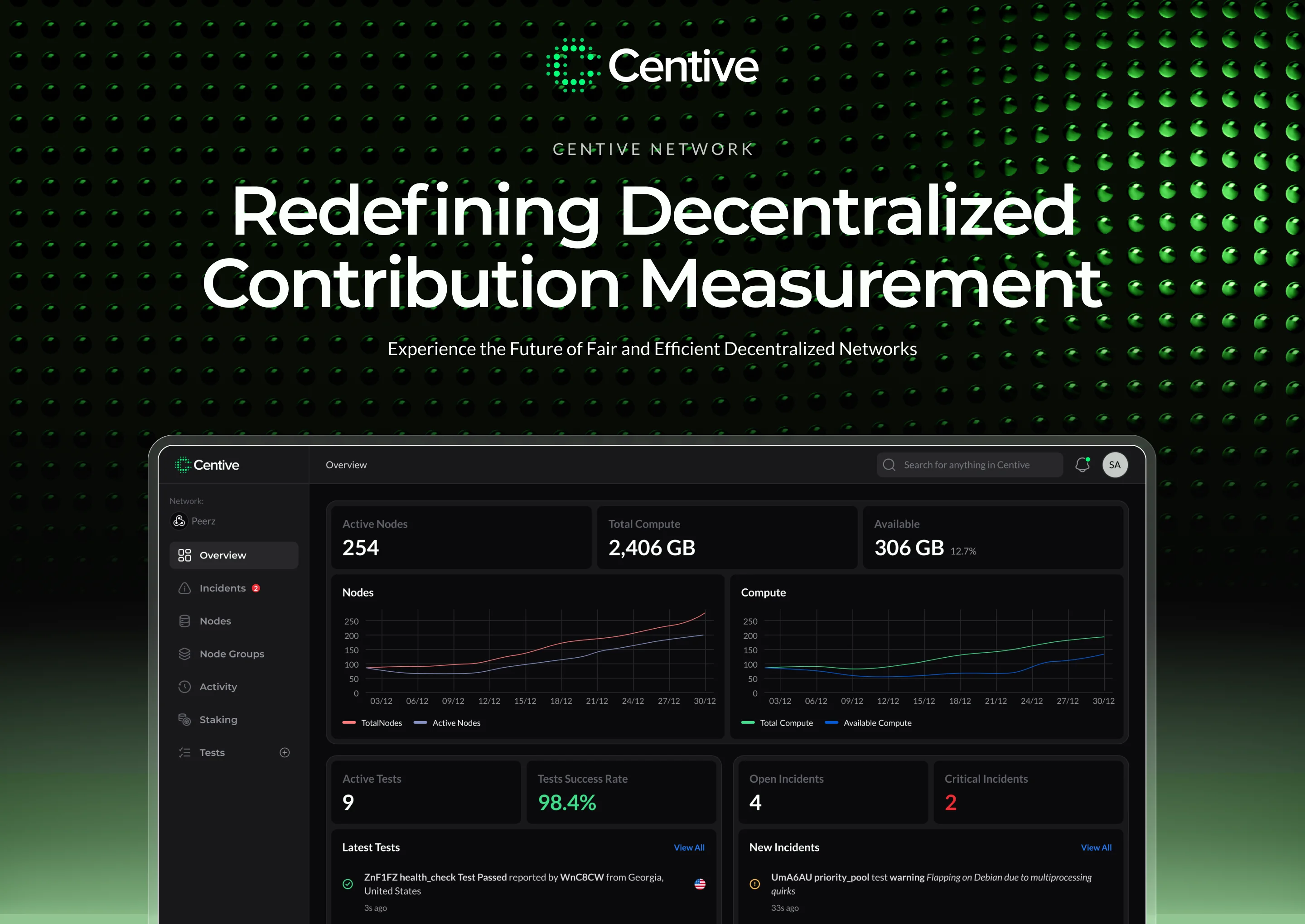
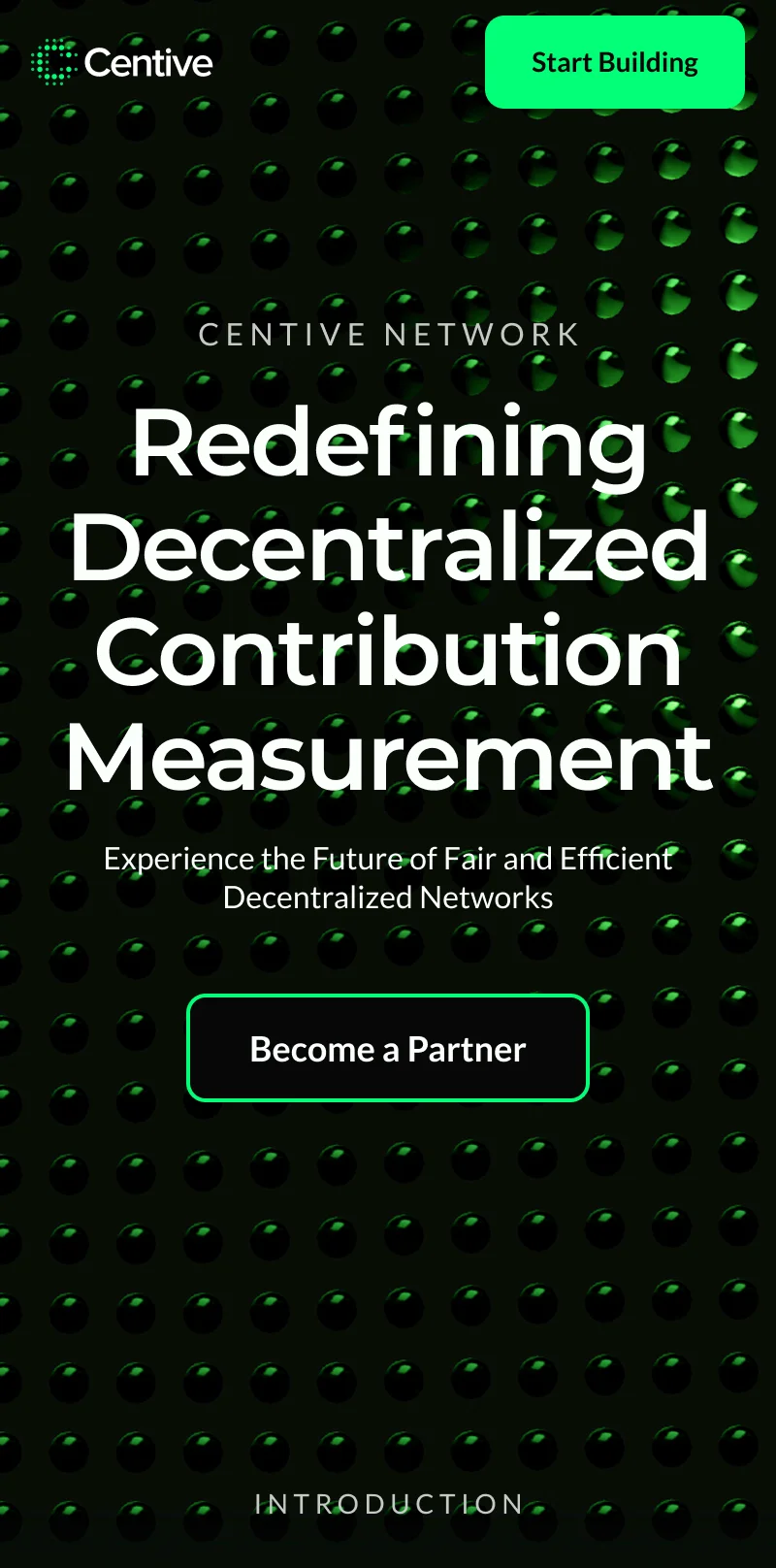
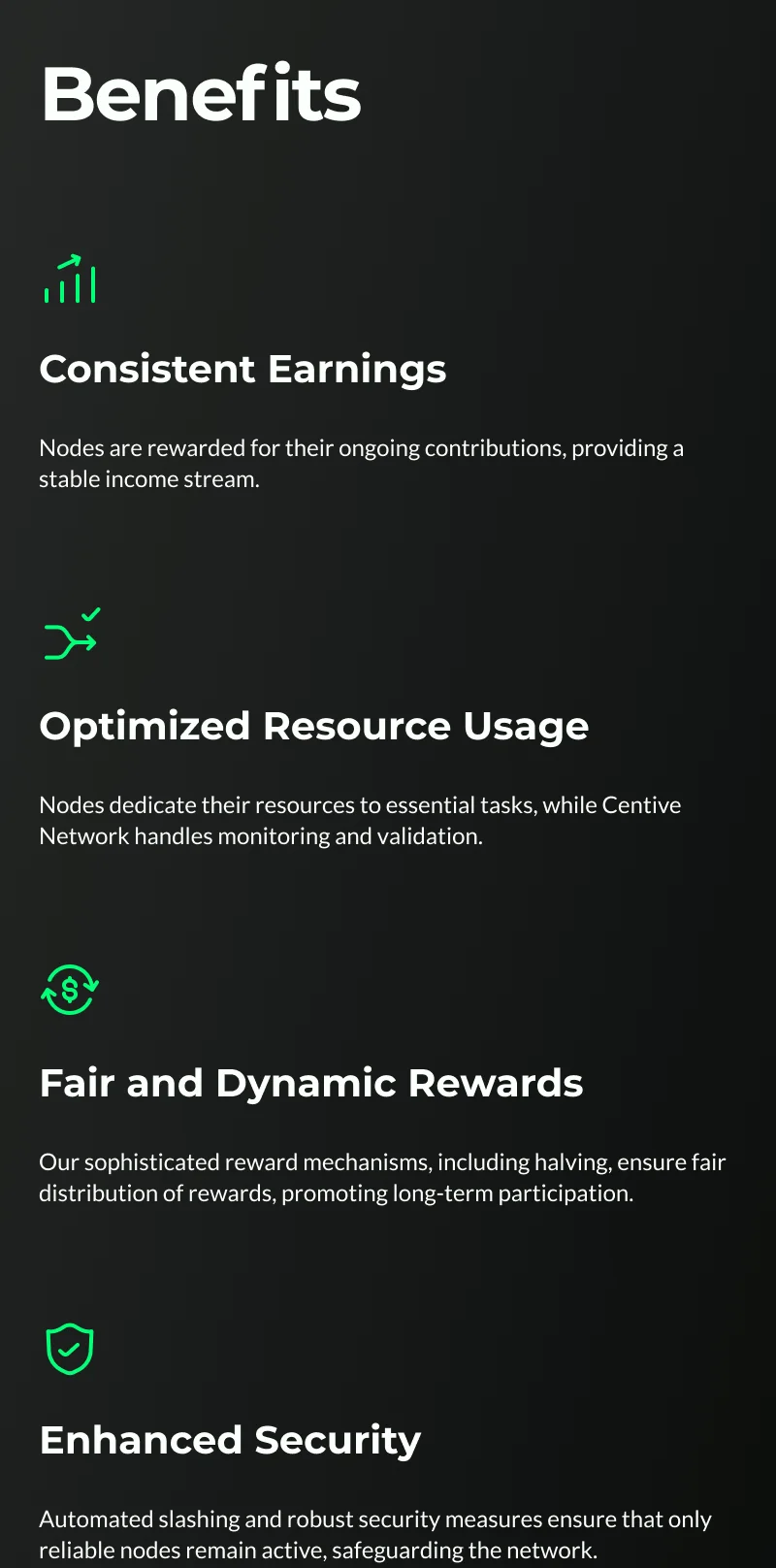
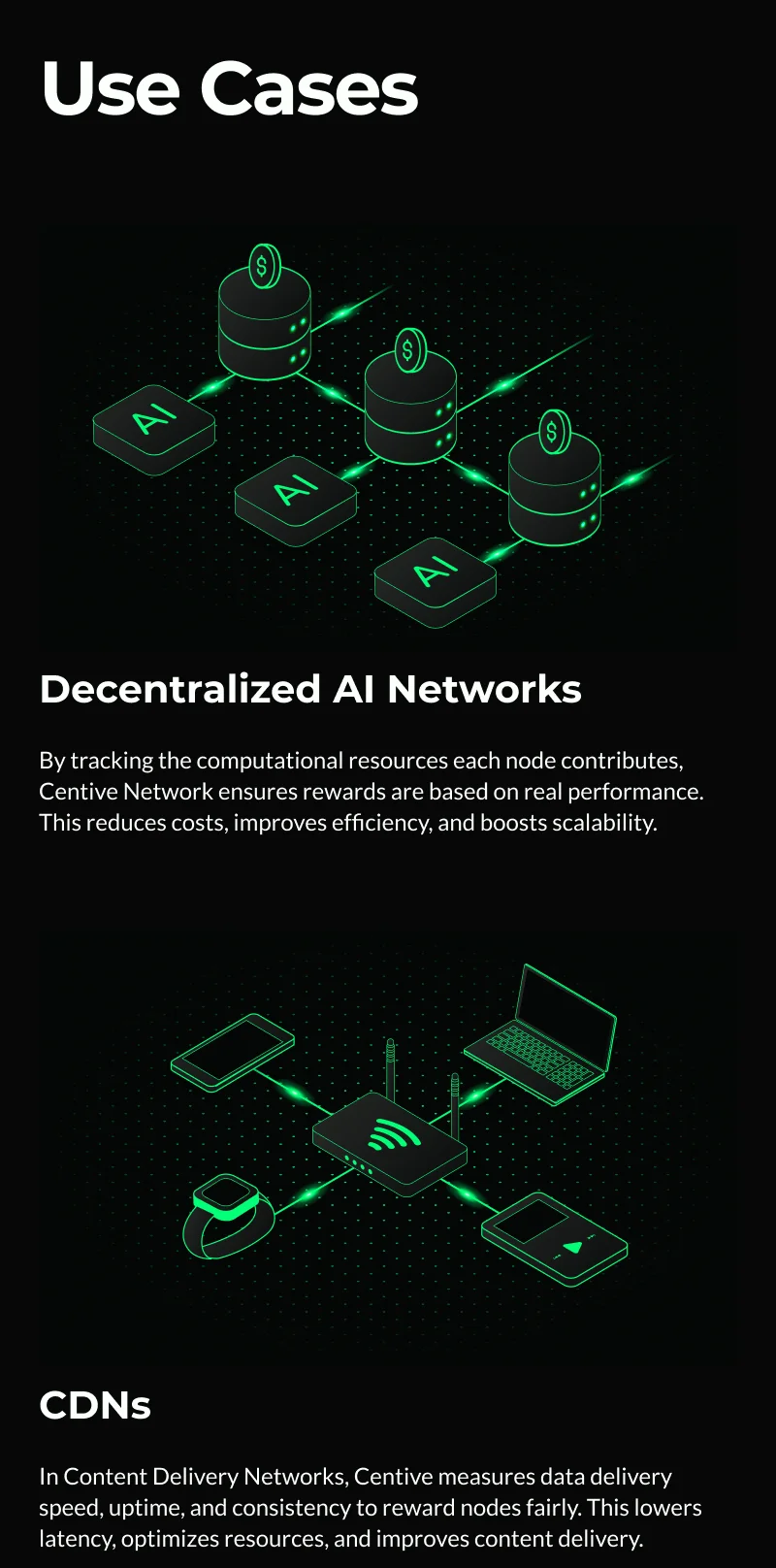
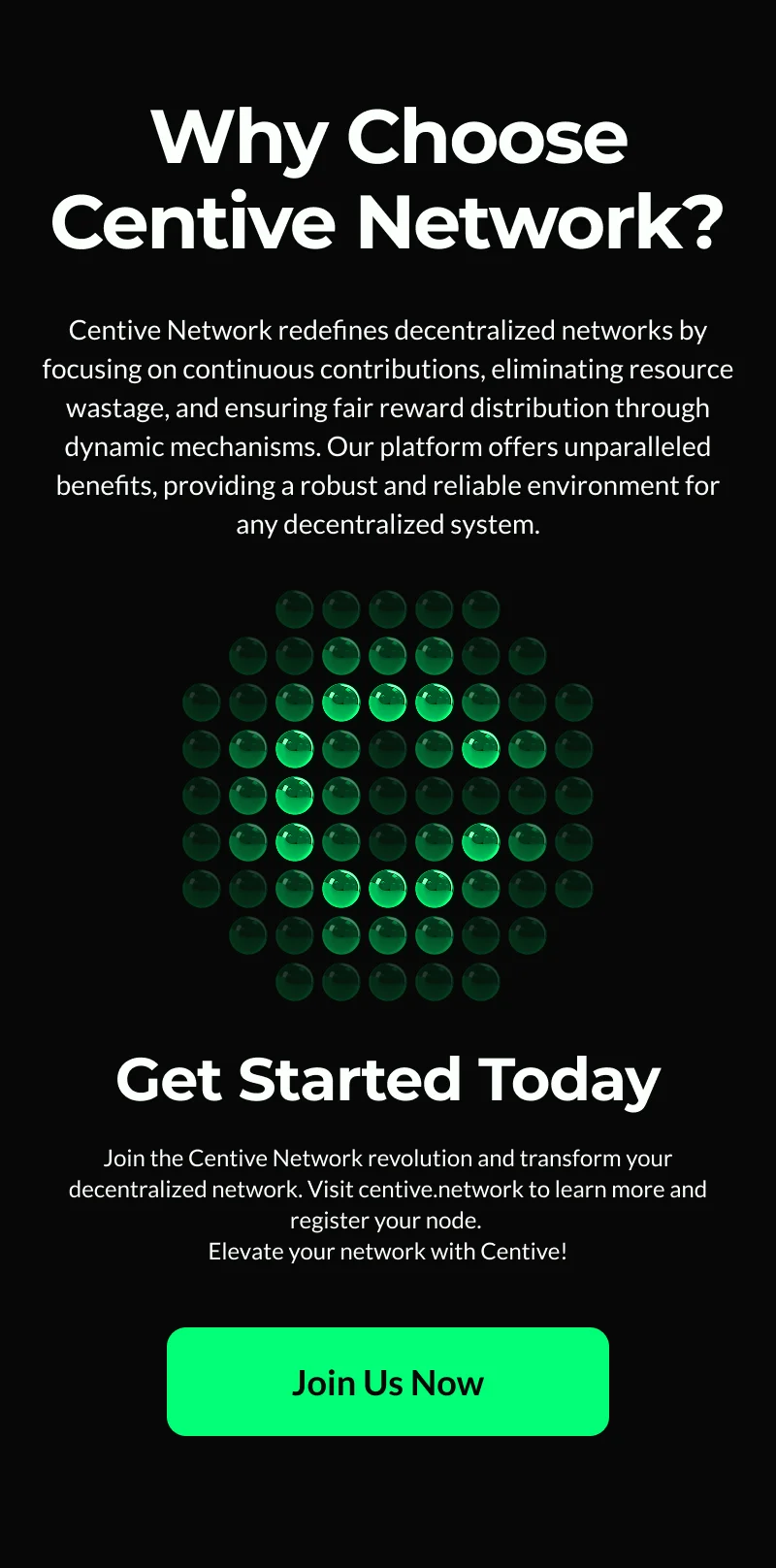
Centive is the monitoring and verification layer for distributed compute. I owned the full design scope: brand identity, marketing website, and operator dashboard, all from zero.
The founding team had the protocol and no visual presence. I built the brand, the marketing site, and the full operator dashboard from the ground up.
The founding team had the protocol architecture: staking, verifier consensus, slashing, payouts. What they didn't have was anything visual: no brand, no website, no product screens, no information architecture.
I owned all three layers. Brand first: logo, color, type: the visual language across every surface. Then the marketing site for validators and investors. Then the operator dashboard, shipped in parallel with engineering.
The protocol had five distinct phases. Each one needed UX clarity, or the whole system would feel opaque to the people running it.
Operators needed density: real-time metrics, test configs, incident history, consensus state — and the product also had to work for first-time node operators who weren't infrastructure engineers. Too sparse and power users hit dead ends. Too technical and onboarding collapsed before the first node came online.
Dark, data-dense UI that felt like a professional ops tool. Not a crypto dashboard with gradient cards. Every metric earned its screen real estate. Incident flows designed as step-by-step state machines. Test creation as a guided form, not a config file.
The design system anchored everything: a single green for health and activity, red only for failures, mono type for all data values.
Centive's protocol runs as an automated cycle: stake in, monitor continuously, vote in secret, penalize failures, distribute rewards. The dashboard gives operators visibility into every phase.
Node operators stake PRZ tokens to enter the network. The optimistic mechanism allows instant participation. Penalties only apply if failures are detected.
APM agents and end-to-end tests continuously evaluate every node: uptime, latency, GPU utilization, job completion rate. All surfaced in real time.
When a test fails, distributed verifiers cast hidden votes. The commit-reveal scheme prevents collusion.
If consensus confirms a failure, the protocol slashes the offending node's staked PRZ automatically. On-chain, no human moderator, no appeal queue.
Nodes that pass receive proportional rewards. Validators who voted correctly also earn.
The product spans network monitoring, node health, incident management, and test infrastructure. Each screen designed to give operators exactly what they need, nothing more.

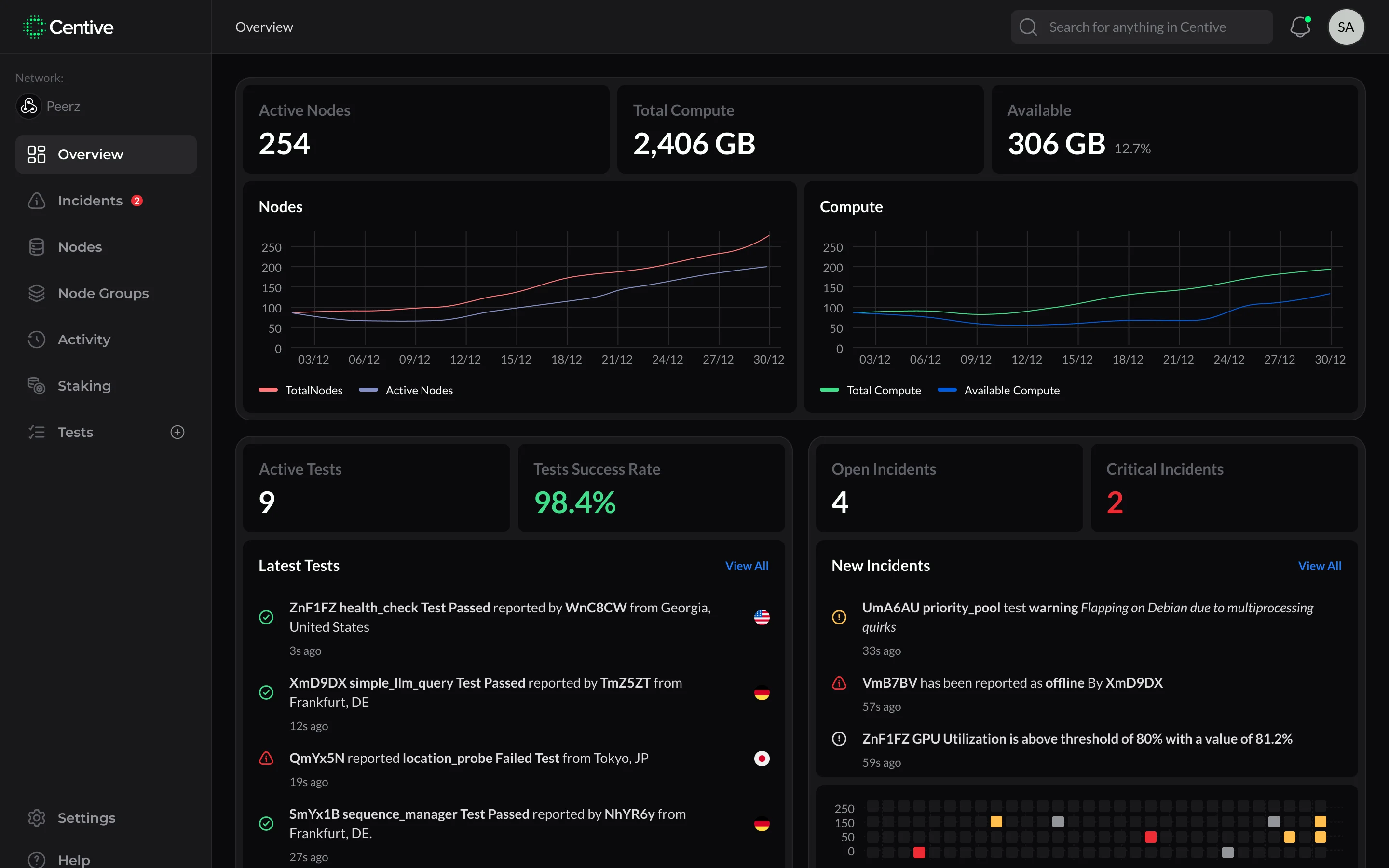
The network overview gives operators a bird's-eye view: active nodes, total compute, available capacity, and live test success rates. Designed as the first screen operators open at the start of a shift.
The dual charts (Nodes and Compute) show capacity trends at a glance, no filtering needed.

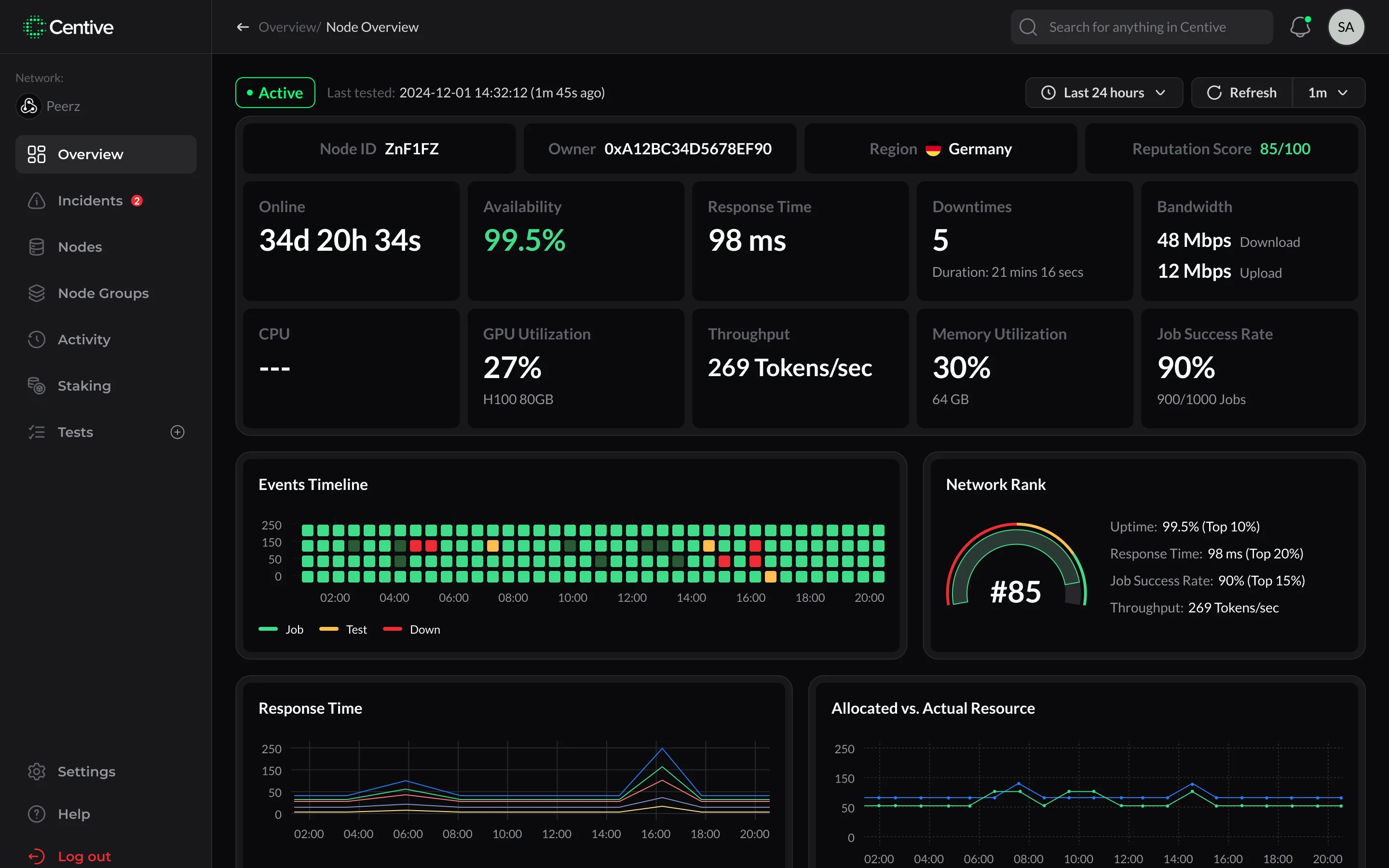
The node overview is the operator's home screen: uptime, availability, response time, GPU metrics, job success rate, and a live events heatmap, all updating every minute.
The Network Rank widget surfaces where the node stands relative to the full network, a competitive signal without a separate leaderboard page.

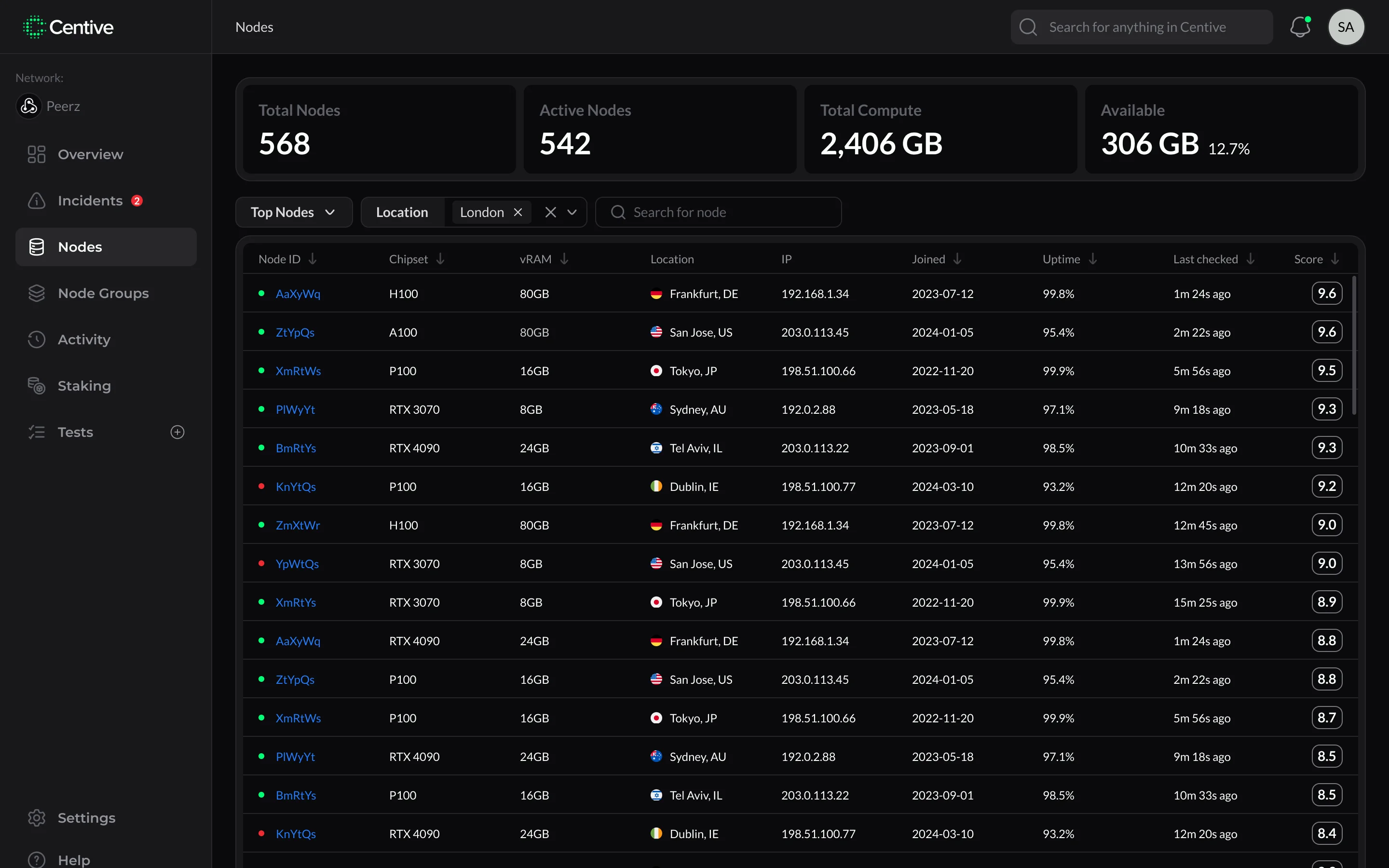
The nodes table surfaces every node in the network with GPU model, location, uptime, last checked, and reputation score in a single dense row. Sortable, filterable, and built to handle scale.
Top-row stats (Total Nodes, Active Nodes, Total Compute, Available) give operators a network pulse before they look at any individual row.

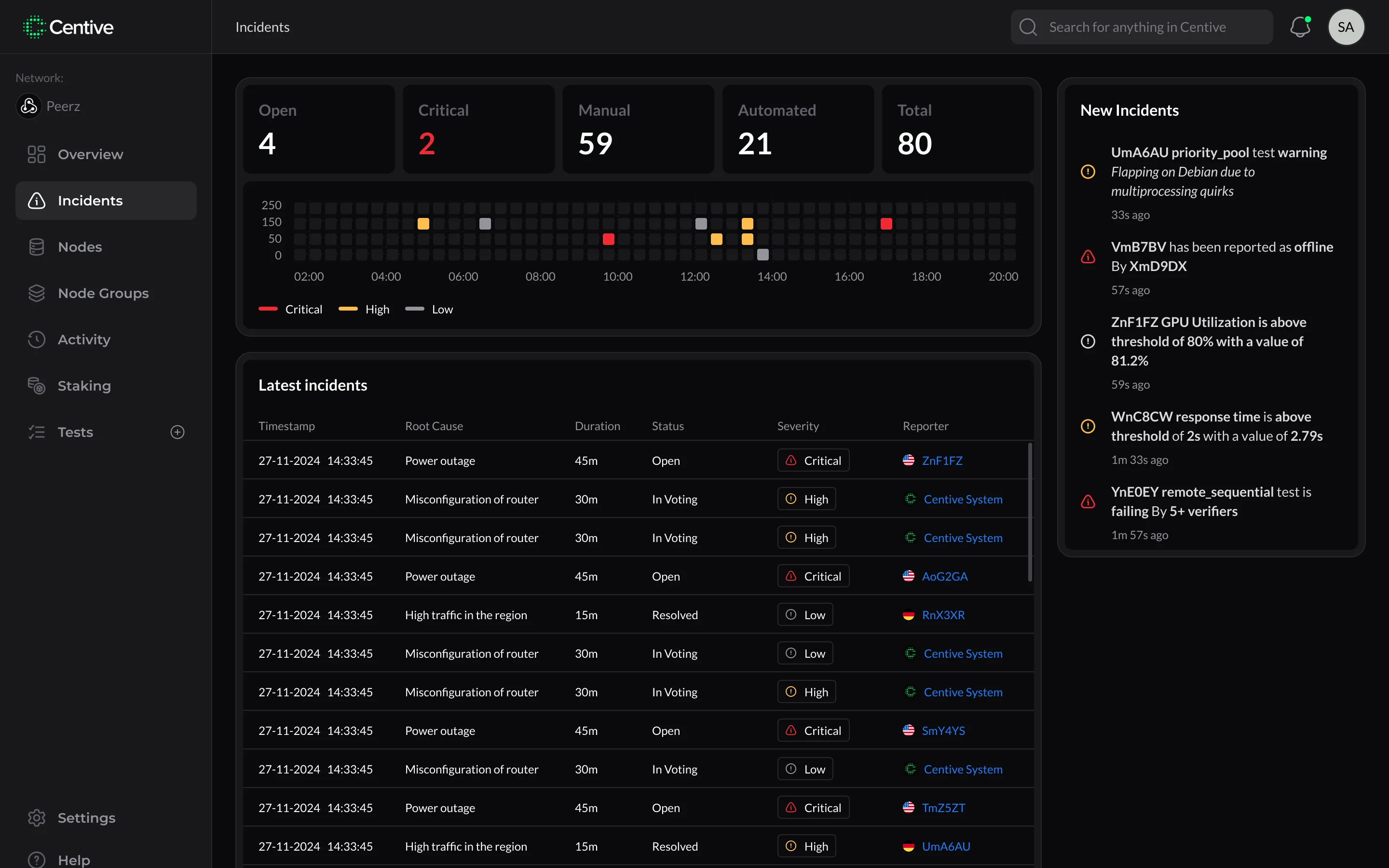
The incidents screen consolidates all network failures into a single view: severity, root cause, duration, status, and reporter in a scannable table. The top-row stats give network-wide context instantly.
The heatmap above the table maps incident frequency over time, letting operators spot recurring patterns before they become systemic issues.

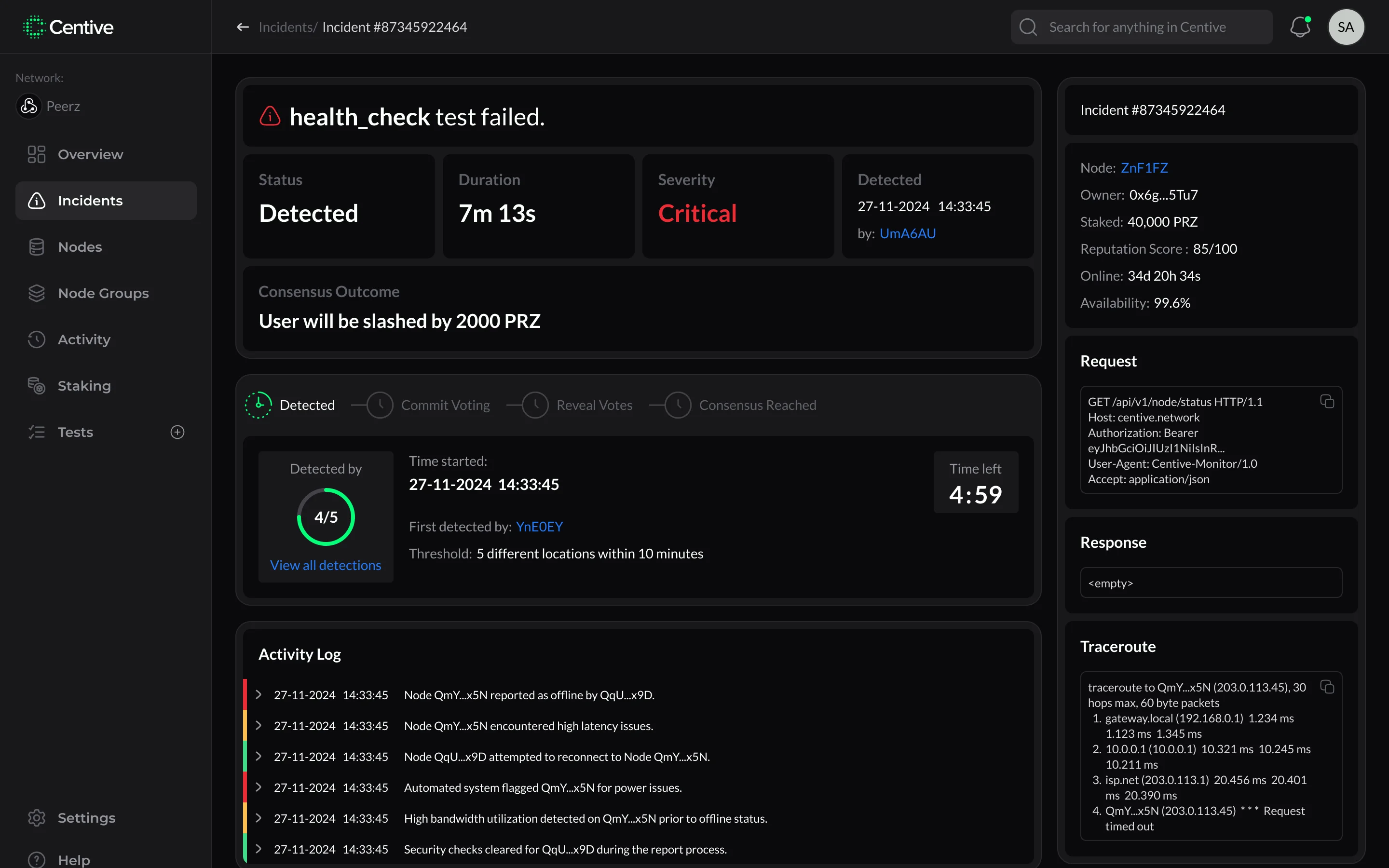
Each incident detail page maps the full lifecycle (detection, commit voting, reveal votes, consensus reached) as a step-by-step progress UI. Operators can see exactly where the protocol stands at any moment.
The consensus outcome is shown upfront so operators understand the stakes before digging into the evidence. No burying the lede.

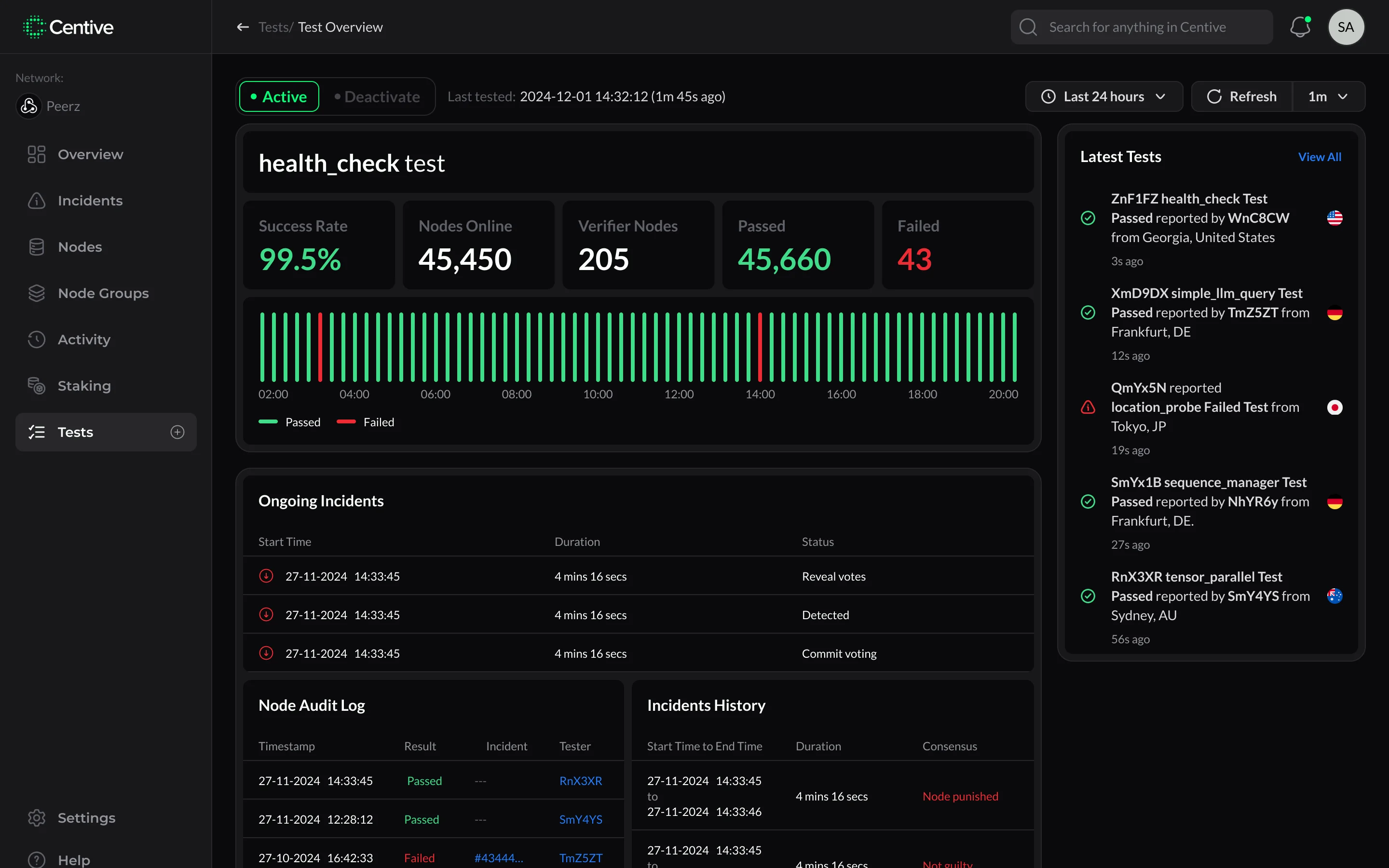
The test detail page covers an individual health check: success rate, node count, verifier nodes, pass/fail counts, and a live histogram of test runs over time.
Ongoing incidents and a node audit log sit below the fold, so operators can trace any anomaly from test result back to root cause in a single screen.
The full product (website and dashboard) designed mobile-first. Same information density, adapted for touch.
Starting from zero: name, logo, color, type. The brief was precision without coldness: a network that's serious about performance but not intimidating to operators.
The mark combines a stylized C with a network node grid, the same dot pattern used across the product UI, creating visual continuity from logo to interface.
The green accent #03FF77 signals liveness and health, the same color the dashboard uses for online nodes and passing tests.
Typography pairs Montserrat (headings, Bold) with Lato (body, Regular). Geometric confidence at the top, neutral legibility at any density level below.
Centive launched with a complete visual identity, a marketing website, and a fully functional operator dashboard. Three deliverables, one designer, shipped in parallel with the engineering team.
Brand identity, marketing site, and full operator dashboard, all from zero
Node overview to staking, covering every surface of the operator journey
Single system spanning brand, marketing, and product, keeping all three coherent
Full scope delivered in parallel with the engineering build